Gaffer. Plan. Adjust. Compete.

A simple touchline assistant for volunteer and rec soccer coaches, with the depth competitive high school and club coaches need. Plan your substitutions, adjust as the match changes, and review what happened so you can prepare for the next one.

Coming soonApple App Store Coming soonGoogle Play

In private beta. Not in the app stores yet. Works in the browser on iPhone and Android.

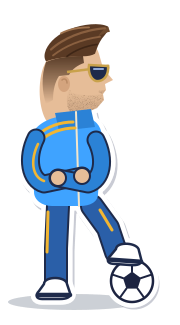
The Gaffer coach: arms crossed, sunglasses on, one foot resting on a soccer ball.
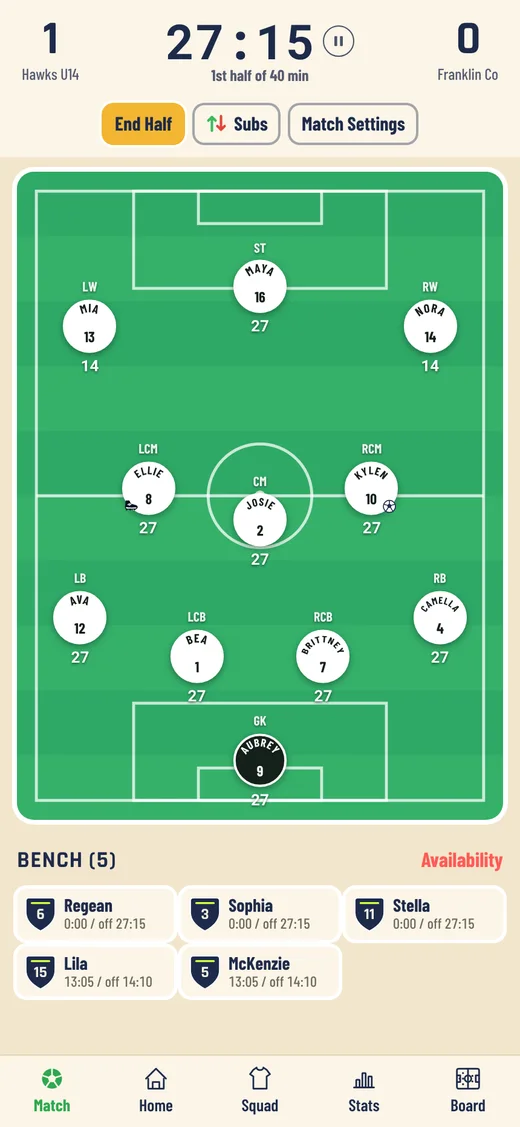
Live match screen: score 1 to 0, the match clock at 27 minutes, an 11-player pitch and the bench with each player's minutes.
How it helps

Plan. Adjust. Compete.

Three jobs a coach does every match, from the touchline, with one thumb.

Plan

Go into the match with a plan.

  • Line up several substitutions ahead of time, read them out to the players and make them all with one tap.
  • Set a sub reminder every few minutes.
  • Pick your formation and who is available.

Adjust

Change it as the match changes.

  • Drag players between the bench and the pitch. Every player's clock keeps running on its own.
  • Log goals, assists, shots, saves and cards in a tap.
  • Sketch a change on the tactics board with magnets and arrows.

Compete

Walk into the next match knowing more.

  • See minutes for every player, match by match.
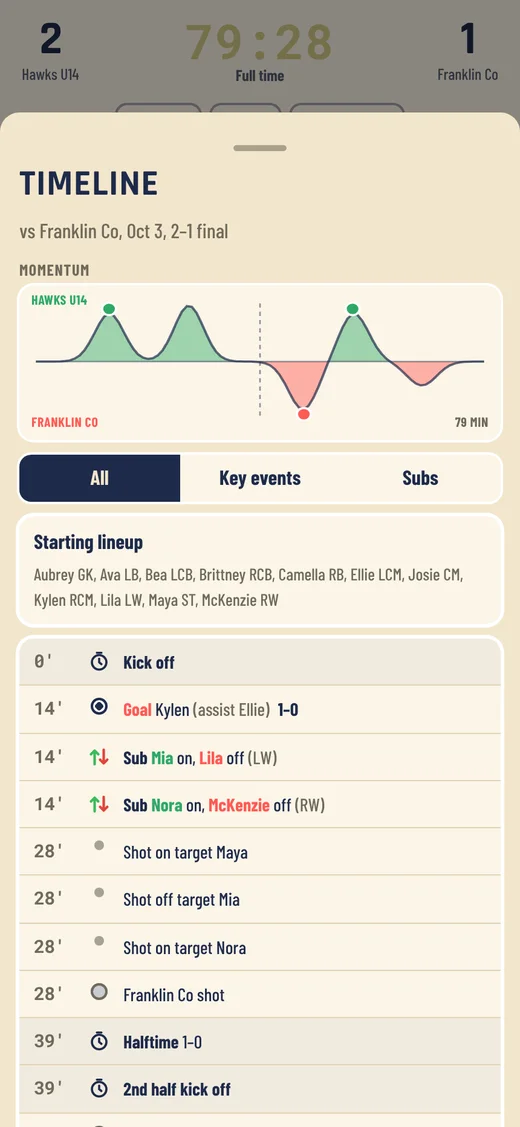
  • Read a momentum chart of who was on top, minute by minute.
  • Share a recap built from your notes and the match data.
Who it is for

Simple on a busy touchline. Deep when you need it.

Gaffer is built with the solo volunteer coach in mind but offers the depth competitive high school and club coaches ask for.
Easy on the touchline

  • Drag players between the bench and the pitch
  • A clock for every player
  • Sub reminders tell you when a change is due
  • Keeps working with no signal after the first load

Deep when you need it

  • Full timeline event breakdowns
  • Match momentum charts
  • Individual player stat sheets
  • Lineup history you can scrub through

Learn from every match

  • Review shots on goal and keeper save percentages
  • Minutes and stats for every player
  • Share a recap with your notes
  • Keep several teams and named seasons
Screens

A look inside

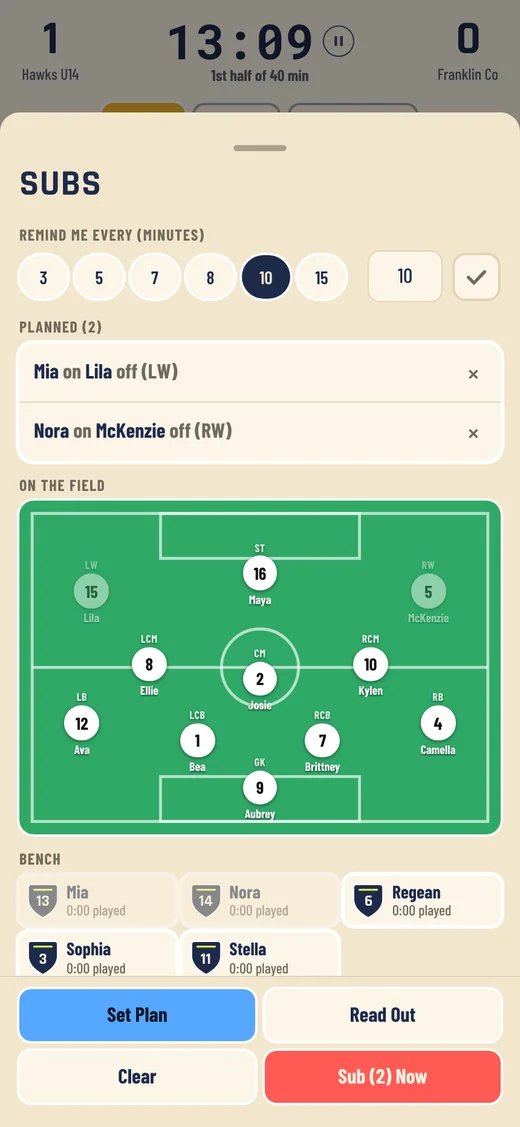
Subs screen with two planned substitutions listed, the pitch and the bench.
Plan your subs
Live match screen with the clock, the pitch and the bench with each player's minutes.
Run the match
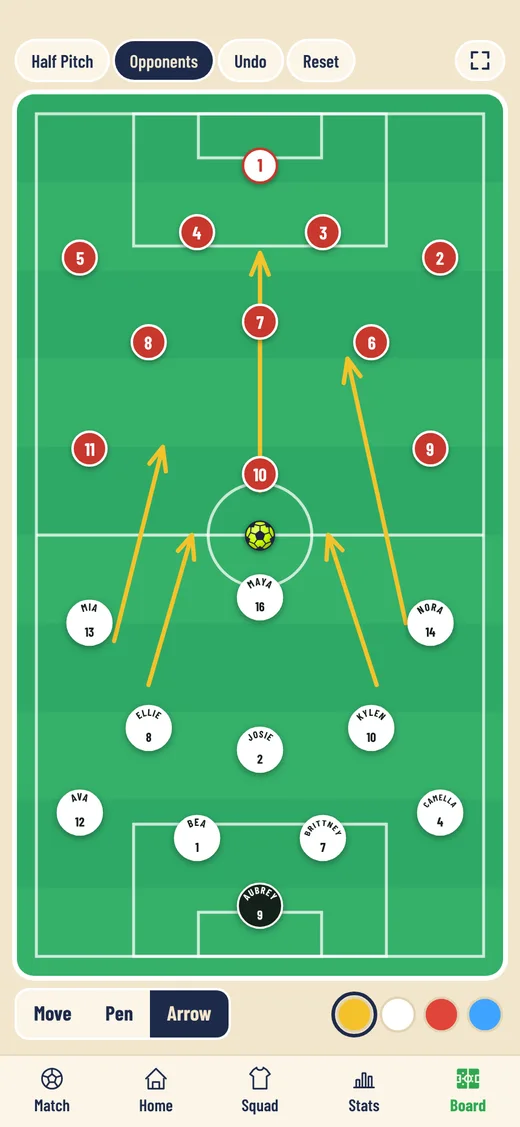
Tactics board with our players, the opponent's players and drawing tools.
Tactics board
Match timeline with a momentum chart and a list of goals, subs and shots.
Match timeline

Screens show a made-up demo team.

Features

What is in it

Planned subs

Live match

Playing time

Stats

Tactics board

Match recap

Penalty shootouts

High School ClockApproximate

Push to speakBeta

Squad, teams, fixtures

Backup and restore

Works offline

Step by step

How it works

  1. Set up your teamAdd your players and their jersey numbers.
  2. Plan the matchPick the formation and who is available, and line up your planned subs.
  3. Run it from the touchlineDrag to sub. Tap a player to log a goal, a card or a shot.
  4. Review itAfter the whistle, check minutes per player, stats and the momentum chart, then share the recap.
Private beta

Early days, on purpose

Gaffer is in private beta with a handful of coaches. If you would like to try it or have an idea, email us. Every message is read.

Questions

Good to know

When will it be in the App Store and Google Play?

We are working toward store versions for iPhone and Android and have no date yet. For now Gaffer is a private beta that runs in your phone's browser.

Is it free?

Right now the app is in a closed beta. Pricing to come soon.

Which phones does it work on?

iPhone and Android, through the browser, and you can add it to your home screen. A store version is planned.

Do I need a signal on the touchline?

No. After the first load it works offline.

Where is my team's data kept?

On your phone. You can save a backup file and restore it any time.

What does the microphone do?

Only the optional Push to speak feature uses it. It is off until you switch it on.

Which levels and ages is it for?

Gaffer is built first for volunteer rec coaches, and has the depth competitive youth, high school and club coaches ask for. You choose the team size, formation and half length, with formations for 4v4, 5v5, 7v7, 9v9 and 11v11.
Can my assistant coach use it too?

Not yet. Team sharing is something we are planning.

How do I add it to my home screen?

iPhone: open it in Safari, tap Share, then Add to Home Screen. Android: open it in Chrome, tap the menu, then Install app or Add to Home screen. More detail is on the support page.

I found a problem or have an idea.

Email support@gafferadvantage.com. Every message is read.

Get in touch

Want to try the beta, have a question, or got an idea for the touchline? Write to us or find us on Instagram.